
Deleting a study or image from Tricefy is permanent -- it cannot be undone.
Deleting Individual Images or Files
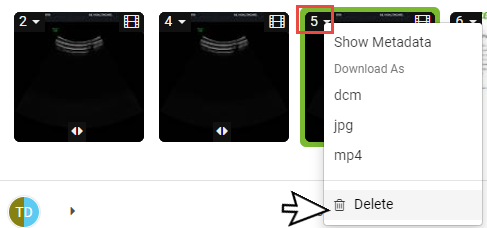
To delete individual images, clips, or other files, select the drop-down menu on the top left (next to the capture number) of any thumbnail and select Delete:
Deleting an Entire Study
 You can also correct the information using Tricefy
To delete a study or subset of selected images, select the study (or studies) on study list and choose Delete from action menu (3 vertical dots icon). If only certain instances within the study are selected, only those instances will be deleted.

A confirmation popup window will display to make sure you really want to delete the study:
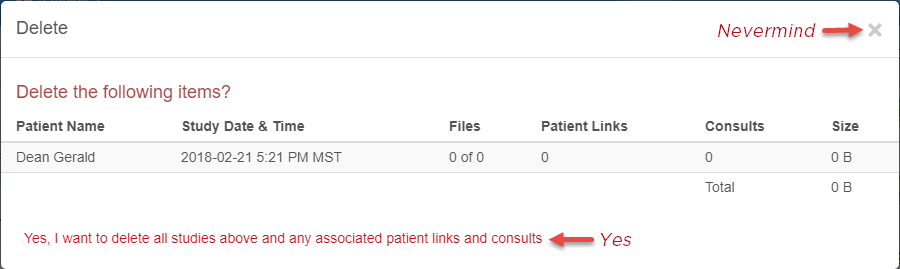
- Click the red Yes, I want to delete the Studies Listed above button to delete the studies
- To cancel, select the X in the upper-right corner of the window
 Copyright ©